Yes, the new password alternative is actually safer
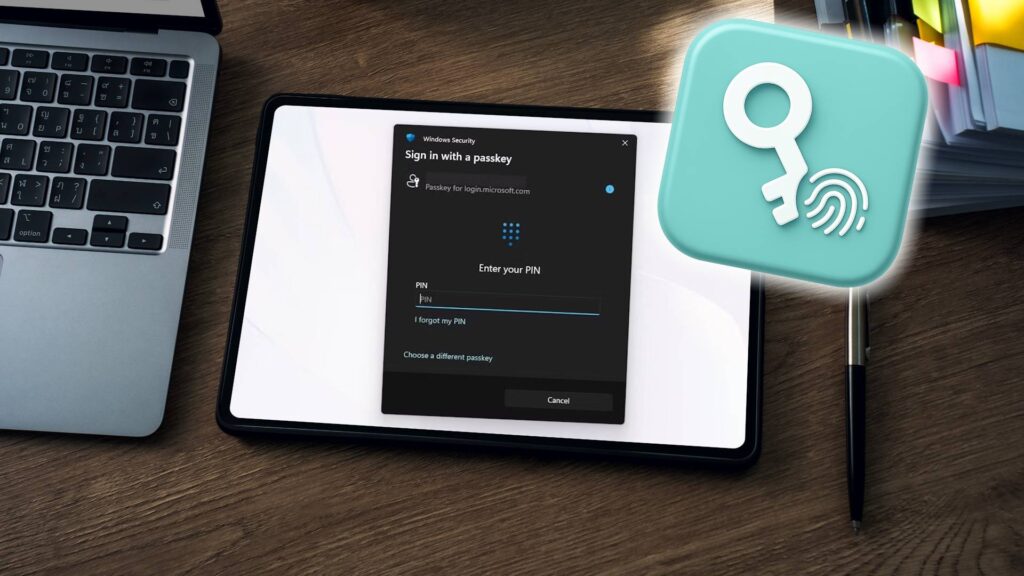
Yes, the New Password Alternative Is Actually Safer
SEO Title:
“Passkeys vs. Passwords: Why the New Login Method Is Safer & Easier”
Meta Description:
“Passkeys are replacing passwords, offering stronger security and seamless logins. Learn how they work, their benefits, and why they’re the future of authentication.”
Introduction
For decades, passwords have been the backbone of online security—but they’ve also been a persistent weak link. Despite our best efforts to create complex, unique passwords, they remain vulnerable to breaches, phishing, and human error. Enter passkeys, a revolutionary authentication method that eliminates passwords entirely. Unlike traditional passwords, passkeys use cryptographic keys to verify identity securely, making them nearly impossible to hack.
In this article, we’ll explore how passkeys work, their advantages over passwords, real-world use cases (especially in finance and business), setup processes, and why they’re the future of secure logins.
What Are Passkeys?
Passkeys are a passwordless authentication method that replaces traditional passwords with cryptographic key pairs. Instead of memorizing a password, your device generates a public and private key:
- Public key – Stored on the service’s server (e.g., Google, your bank).
- Private key – Stored securely on your device (protected by biometrics or a PIN).
When logging in, the service sends a challenge that your device signs with the private key, proving your identity without exposing any sensitive data.
Key Features & Benefits
✅ Phishing-resistant – Unlike passwords, passkeys can’t be stolen via fake login pages.
✅ No password reuse – Each passkey is unique to a service, eliminating credential stuffing attacks.
✅ Seamless authentication – Log in with Face ID, Touch ID, or a PIN instead of typing passwords.
✅ Hardware-backed security – Keys are stored in a Trusted Platform Module (TPM) or Secure Enclave, making them nearly impossible to extract.
✅ Cross-device sync – Supported by major platforms (Apple, Google, Microsoft), allowing sync across devices.
Use Cases in Finance & Business
Passkeys are particularly valuable in industries where security is critical:
1. Banking & Financial Services
- Secure logins without exposing passwords to phishing attacks.
- Faster transactions with biometric verification.
- Reduced fraud due to phishing-resistant authentication.
2. Enterprise & Cloud Security
- Employees can access company systems securely without password fatigue.
- IT admins reduce the risk of breaches from weak or reused passwords.
- Compliance with stricter security regulations (e.g., GDPR, SOC 2).
3. E-commerce & Online Payments
- Customers can check out faster with biometric logins.
- Merchants reduce fraud by eliminating password-related vulnerabilities.
How to Set Up Passkeys
Setting up passkeys is simple and varies slightly by platform:
On Apple Devices (iOS/macOS)
- Open Settings > Passwords > Passkeys.
- Tap “Add a Passkey” and follow the prompts.
- Use Face ID, Touch ID, or a device PIN for verification.
On Android (Google Accounts)
- Go to Google Account Settings > Security > Passkeys.
- Select “Create a Passkey” and follow the setup.
- Use fingerprint or screen lock for authentication.
On Windows (Microsoft Accounts)
- Open Settings > Accounts > Sign-in options.
- Under Passkeys, click “Set up a passkey.”
- Use Windows Hello (facial recognition, fingerprint, or PIN).
Cost
Passkeys are free to set up and use. No additional hardware is required if your device supports biometric authentication.
Passkeys vs. Alternatives
| Feature | Passkeys | Traditional Passwords | Two-Factor Authentication (2FA) |
|---|---|---|---|
| Security | High (phishing-resistant) | Low (vulnerable to breaches) | Medium (can be bypassed via SIM swaps) |
| Convenience | Seamless (biometric login) | Manual entry required | Requires extra steps (SMS/email codes) |
| Reusability | Unique per service | Often reused across sites | Still relies on passwords |
| Recovery Options | Device-based backup | Password resets via email | Recovery codes or SMS |
Verdict: Passkeys outperform both passwords and 2FA in security and convenience.
The Future of Authentication
Major tech companies (Apple, Google, Microsoft) are rapidly adopting passkeys, making them the new standard. Services like PayPal, eBay, and Best Buy already support them, and password managers (1Password, Dashlane) are integrating passkey sync.
Why You Should Switch Now
✔ Stronger security – No more password leaks or phishing risks.
✔ Faster logins – No more typing or resetting passwords.
✔ Future-proof – As more services adopt passkeys, passwords will become obsolete.
Conclusion
Passkeys are the safest, most convenient alternative to passwords. By eliminating the need for memorized credentials, they drastically reduce security risks while making logins effortless. As businesses and consumers adopt this technology, passwords will fade into obscurity.
Ready to make the switch? Check if your favorite services support passkeys and start securing your accounts today!
Final Thoughts
The era of passwords is ending. Passkeys offer a more secure, user-friendly, and future-proof way to authenticate online. Whether for personal use or business security, making the switch now will save you from future headaches—and hackers.
Have you tried passkeys yet? Share your experience in the comments!